
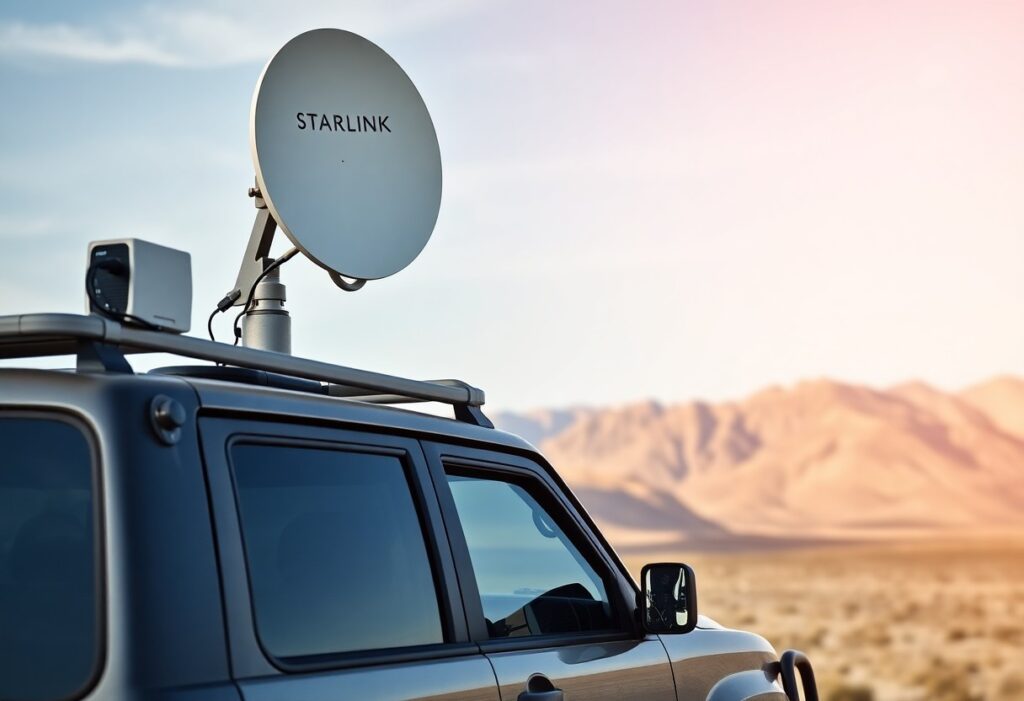
Most travelers find it challenging to maintain reliable internet access while on the move. By leveraging Starlink satellite internet and cell boosters, you can ensure seamless connectivity no matter where your adventures take you. This guide will equip you with important knowledge and tips to maximize your online experience, allowing you to work, stream, and stay connected with loved ones while enjoying the open road.
Key Takeaways:
- Starlink provides high-speed internet access in remote areas, enabling streaming and browsing on the go.
- Cell boosters enhance mobile network signals, ensuring better connectivity in areas with weak cellular service.
- Combining Starlink and cell boosters offers a comprehensive solution for reliable connectivity while traveling.
Understanding Starlink
For those seeking reliable internet in remote locations, Starlink is a game changer. This satellite internet constellation, launched by SpaceX, leverages numerous low Earth orbit satellites to provide fast broadband coverage across the globe. You’ll experience reduced latency and improved connection speeds, making it ideal for both casual browsing and demanding tasks like video conferencing.
What is Starlink?
Starlink is an internet service developed by SpaceX that uses a network of satellites orbiting the Earth. Its aim is to deliver high-speed, low-latency broadband to underserved and rural areas where traditional internet services often fall short. With its innovative technology, you can access the internet from virtually anywhere, provided you have a clear line of sight to the sky.
How Starlink Works
Starlink operates by deploying satellites in low Earth orbit, which communicate with ground stations and user terminals known as Starlink dishes. These dishes automatically align to connect with the satellites overhead, enabling high-speed internet access. The system’s design minimizes latency, offering performance comparable to terrestrial cable services, even in areas previously deemed inaccessible.
This constellation includes thousands of satellites strategically positioned to maintain coverage across various regions. When you connect your Starlink dish, it sends and receives data signals through the satellites, creating a seamless internet experience. The latency can be as low as 20 milliseconds, depending on your location and obstructions. Moreover, with ongoing satellite launches, Starlink’s service continues to expand, enhancing your connectivity options as you travel.
Exploring Cell Boosters
Cell boosters enhance your mobile connectivity by amplifying weak signals, allowing you to stay connected on the road. This is particularly important for remote areas where traditional networks struggle. For more information on maximizing your connectivity, check out the 10 Best Ways to Use Starlink.
Types of Cell Boosters
Understanding the different types of cell boosters is crucial for choosing the one that fits your needs:
- Consumer Boosters – Ideal for personal use in vehicles or small spaces.
- Commercial Boosters – Designed for businesses or larger areas with multiple users.
- Vehicle Boosters – Specifically created for use in cars, RVs, or trucks.
- Wi-Fi Extenders – Enhance existing Wi-Fi networks, useful in conjunction with cell boosters.
- Multi-Carrier Boosters – Support signals from multiple network providers.
Knowing which type suits your situation can significantly enhance your mobile experience.
| Type | Description |
| Consumer Boosters | Amplify signals in homes or small RVs. |
| Commercial Boosters | Support larger facilities or multiple users. |
| Vehicle Boosters | Optimized for travel in cars and RVs. |
| Wi-Fi Extenders | Boost existing Wi-Fi signal strength. |
| Multi-Carrier Boosters | Facilitate connection across different networks. |
Choosing the Right Cell Booster
Selecting the appropriate cell booster hinges on your unique needs, such as your vehicle type or location. You should evaluate your situation, considering factors like coverage area and the specific networks you need to enhance. Higher gain options are often better for rural areas with sparse signals, while lower gain boosters might suffice in urban settings. Also, ensure compatibility with your mobile carrier and setup requirements to achieve optimal performance.
Make an informed decision by examining product specifications, user reviews, and installation processes. Different factors like gain levels and supported frequency bands play vital roles in ensuring that the booster successfully enhances your signal. Prioritize solutions that offer reliable support and warranties, ensuring you can easily access help if needed. Adapting to your environment effectively strengthens your connectivity on the road.
Preparing for Travel
Preparation is key to ensuring your connectivity while traveling. Before you begin on your journey, check that your Starlink dishes and cell boosters are operational. Verify that you have all necessary equipment packed, including cables, adapters, and mounting gear. Ensuring you have a reliable power source will help maintain your devices during long trips. Thou must also review your destination for any potential connectivity challenges.
Factors to Consider Before Hitting the Road
Evaluating several factors can enhance your travel experience. Assess your planned route, checking for areas with limited coverage. Your vehicle’s size and configuration may impact booster installation. Additionally, consider the local terrain, as mountains or dense forests can obstruct signals. Examine the data plans available to maximize connectivity options. Thou must plan wisely.
- limited coverage
- size
- configuration
- data plans
Tips for Setting Up Your Connection
Setting up your connection effectively can save you time and frustration. Begin by positioning your cell booster where the signal is strongest, typically close to a window. For Starlink, ensure the dish has a clear view of the sky, free from obstructions. Familiarize yourself with installation requirements for each device. Knowing where to place your equipment can significantly impact your connectivity success.
- cell booster
- Starlink
- installation requirements
Placing your devices correctly is vital to achieving optimal connectivity. Aim for a location that minimizes interference; avoiding metal structures and water sources will enhance performance. Regularly check for software updates on your devices to ensure they operate efficiently. Ensure all cables are secure to avoid disconnections during travel. Knowing these installation nuances will lead to a smoother experience on the road.
- optimal connectivity
- interference
- software updates
Staying Connected on the Go
Using Starlink in combination with cell boosters allows you to enjoy high-speed internet even in remote areas. This dynamic duo ensures that you’re always within reach of important updates and communication, making any trip more enjoyable and productive. With the right equipment and setup, you’ll find that connectivity is possible even on the most isolated roads.
Troubleshooting Connectivity Issues
When faced with connectivity problems, check your equipment first. Ensure your Starlink dish has a clear view of the sky, free from obstructions. If your cell booster fails to amplify signals, inspect antenna positioning and wiring for any damage. Additionally, confirm that your devices are compatible with the boosters. Regularly updating your equipment’s software can also resolve common operational glitches.
Tips for Maximizing Internet Speed
To enhance your internet speed while traveling, optimize your Starlink installation by positioning the dish in an unblocked area. Reduce the number of devices connected to the network, as each additional connection may decrease the overall speed. Enabling Quality of Service (QoS) settings on your router can prioritize bandwidth for important applications. Regular maintenance of your equipment plays a key role, too. Assume that these adjustments collectively lead to a more reliable and speedy internet experience.
- Optimize installation
- Reduce connected devices
- Enable QoS settings
- Regular maintenance
- Monitor bandwidth usage
Monitoring your bandwidth can reveal which applications consume the most data, allowing you to adjust usage. Taking steps to limit background apps while online not only improves your browsing speed but also conserves data. If your internet remains sluggish, try restarting your router and devices; this can refresh connections and often leads to a faster response. Assume that these practices contribute significantly to your overall connectivity performance on the road.
- Monitor bandwidth usage
- Limit background apps
- Restart router and devices
- Test Wi-Fi speed regularly
- Utilize Ethernet connections if possible
Safety and Security on the Road
Ensuring safety and security while on the road involves being vigilant about your connections and data. With the integration of tools like WeBoost Cellular Antenna Booster and now Starlink info, it’s vital to have a plan for keeping your sensitive information protected. Whether you’re using Starlink or other cell boosters, understanding the risks on public networks is key to safeguarding both your devices and your data.
Protecting Your Data
Using a VPN is one of the most effective ways to protect your data while traveling. By encrypting your internet connection, a VPN ensures that your information remains private, even on unsecured networks. This adds a layer of security against potential threats, like hackers who may target vulnerable connections.
Best Practices for Secure Connections
To enhance your connection security, always use strong, unique passwords and enable two-factor authentication whenever possible. When connecting to public Wi-Fi networks, avoid accessing sensitive accounts or conducting transactions unless absolutely necessary. Regularly update your devices and security software to safeguard against vulnerabilities.
Additionally, consider disabling file sharing and turning off network discovery on your devices while connected to public networks. This helps prevent unauthorized access to your information. When using Starlink or any cell booster, keep your firmware up to date to address any security flaws that emerge as technology evolves. Informed practices drastically reduce the likelihood of facing issues on the road.
Final Words
To ensure you stay connected wherever your travels take you, consider integrating both Starlink and cell boosters into your setup. This combination will enhance your ability to access the internet and make calls, providing a reliable connection even in remote areas. By investing in these technologies, you can enjoy the freedom of the open road while remaining connected to family, friends, and crucial services. Adapt your equipment to fit your lifestyle, and your journey will be enriched with seamless communication.